⚙️ How to Read Peak Hour Units on a LESCO Digital Meter
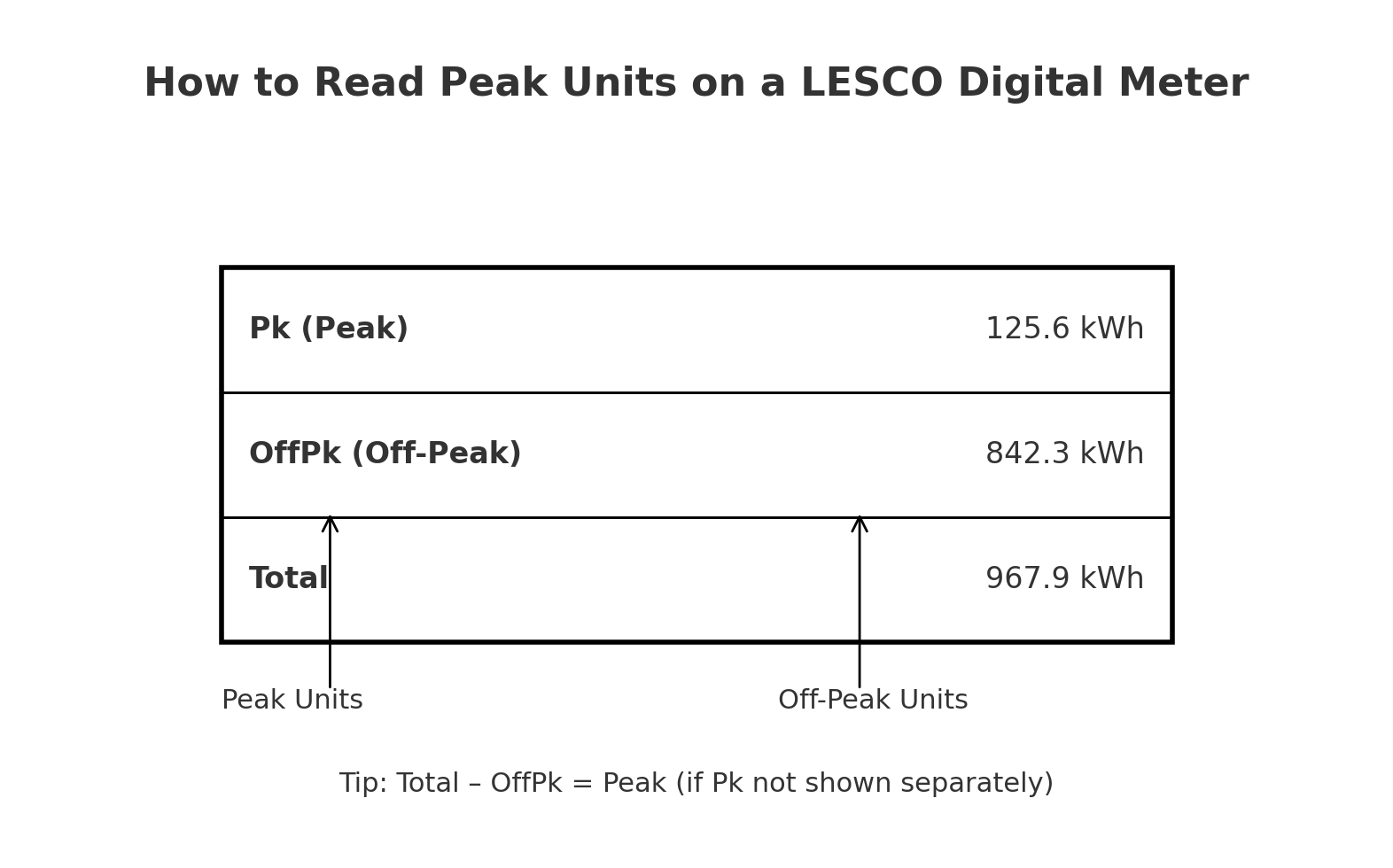
Find Peak (Pk/Hp) and Off-Peak (OffPk/Lp) readings so you can verify your LESCO peak hours bill.
Normally consumers think that peak hours apply to every consumer, its a misconception, only consumers who have 3 phase meters are under peak and offpeak hours category, all simple home users are not to worry about peak hours, now social media actually give hype to every news and the people on social media show the news as burning news and even most of them don’t know the technical points, so they almost deceive people and normal home users, who’s electricity meters are not in the category of peak/off peak hours are still practicing to avoid using electricity in peak hours which are mostly in the evening session, they use heavy electricity consuming items in morning, like if they need to iron the cloths and other heavy appliances, they perform all these type of tasks in early morning so that they can avoid peak hours high rates.🔎 Where to Look on the Meter
- Cycle through the display using the next/menu button.
- Note screens labeled Pk, Hp (Peak hours) & OffPk, Lp (Off-peak).
- Record both values and the Total kWh.
- If Pk isn’t shown, use: Total – OffPk = Peak Units.
With electricity prices reaching record highs in 2026, understanding your LESCO digital meter is no longer just a technical skill—it is a financial necessity. Most consumers in Lahore and surrounding areas now have static digital meters or “Green Meters” (for solar). These meters record two types of electricity: Peak Units and Off-Peak Units.
In this guide, we will break down the exact display codes you need to look for to identify your peak hour consumption and how to manage your load to save thousands on your monthly LESCO bill.
Understanding the Peak and Off-Peak Concept
LESCO (Lahore Electric Supply Company) uses a “Time of Use” (ToU) billing system for three-phase connections and certain residential slabs. During specific hours of the evening, the demand on the national grid is highest. To discourage heavy usage during this time, LESCO charges a much higher rate per unit.
LESCO Peak Hours Timings 2026
Peak hours change throughout the year based on sunset timings and seasonal demand. Below are the current LESCO peak hour timings for 2026:
| Season / Months | Peak Hours Timing | Total Duration |
|---|---|---|
| Dec to Feb | 5:00 PM to 9:00 PM | 4 Hours |
| March to May | 6:00 PM to 10:00 PM | 4 Hours |
| June to Aug | 7:00 PM to 11:00 PM | 4 Hours |
| Sept to Nov | 6:00 PM to 10:00 PM | 4 Hours |
Step-by-Step: How to Read the Display Codes
Modern LESCO digital meters (like those from MicroTech or Landis+Gyr) cycle through different parameters automatically every 6 to 9 seconds. You don’t need to press any buttons, though some meters have an “Optical Button” or a push button to skip ahead.
The Important Codes for ToU Meters
To find your peak units, watch the small digital digits usually located on the far left or top of the screen. These are called OBIS Codes.
Code 02: Current Time (24-Hour Format)
Code 03: Total Units Consumed (Cumulative kWh)
Code 04: Peak Units (kWh)
Code 05: Off-Peak Units (kWh)
Code 06: MDI (Maximum Demand Indicator)
To calculate how many peak units you used this month, take the current reading on Code 04 and subtract the Peak Reading found on your previous month’s bill.
Why Monitoring Peak Units is Important in 2026
If you have a three-phase connection or a solar net-metering system, LESCO tracks these units separately. For solar users, the “Off-Peak” units produced during the day cannot always offset “Peak” units used at night on a 1:1 basis in some tariff structures. Therefore, manually checking your meter helps you realize if your family is accidentally running heavy loads during the expensive 4-hour window.
Tips to Reduce Peak Hour Consumption
- Shift the Load: Use your washing machine, water motor, and electric iron before 6:00 PM or after 11:00 PM.
- AC Management: If you must use an Air Conditioner during peak hours, set the temperature to 26°C.
- Battery Storage: If you have a hybrid solar system, configure it to discharge battery power during peak hours to avoid drawing expensive units from the LESCO grid.
Conclusion
Reading your LESCO digital meter is the first step toward energy independence. By keeping an eye on Code 04, you can actively manage your consumption and verify if your bill matches your actual usage. If you notice a massive discrepancy, you can visit your local LESCO sub-division office with a photo of your meter display for correction.
In the ending session, I want to ensure that if anyone create fear about electricity news, just confirm it with officials only, general public mostly don’t know about technicalaties and real news, there are too many rumors are spreading about Wapda, like wapda impose taxes on solar system, which was wrong and they are only thinking to impose taxes on net meetering, means green meters, so people who have their own units of solar system and they don’t have any agreement with wapda, they have no taxation issues, If you are LESCO consumer than verify any information by calling on 118 and talk to LESCO Helpline.Frequently Asked Questions (FAQs)
Q1: What is the difference between Peak and Off-Peak units?
Peak units are consumed during high-demand hours (usually evening) and are expensive. Off-peak units are consumed during the rest of the 20 hours and are cheaper.
Q2: Why does my meter show a “Red Light” during peak hours?
Most digital meters have a “Pulse” light (Imp/kWh). It flashes faster when you use more load. It doesn’t necessarily turn red just because of peak hours, but heavy usage will make it blink rapidly.
Q3: How often does LESCO update peak timings?
LESCO follows a quarterly schedule (every 3 months) to adjust for sunset timings. Always check the back of your latest bill for any changes.
Q4: Can I change my meter from ToU to a flat rate?
No, all three-phase connections and loads above 5kW are mandatory ToU (Peak/Off-Peak) categories in 2026.